Let show you how to create a SVN repository, check in (upload
the document/folders) and Check out.
Download SVN client from here:
Note :
For Windows XP, up to SVN
Version 1.6.7 can be installable.
Create a SVN repository
Step 1 : Create a new folder in any of your local drive.
Step 2: Open the folder and Right click. Goto Tortorise
SVN->Create Repository Here option.
The
SVN default folder are automatically created and get the Successful created Alert Box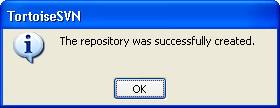
CHECK IN
Now Right Click on the file/folder which want to be kept in
SVN. Goto Tortoise SVN->Import
option.

You will get an SVN Repository URL in the dropdown and click
ok to import the folder to SVN. After that you will get a SVN alert log whether
is successfully imported or failed.
CHECK OUT:
Right
Click (where you want to checkout the files), goto SVN Checkout Option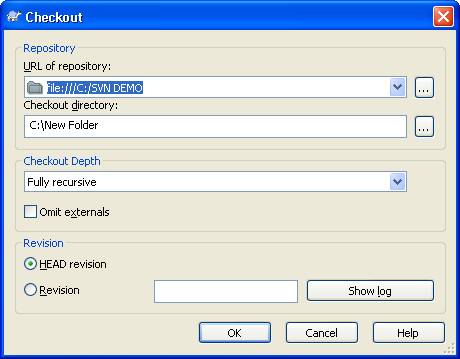
Click ok.